
Why aren't new drafts showing up in my Inbox?
Updated 4 months ago
Browse All
You merged a pull request but nothing new appeared in your Inbox. These checks walk through the most common breaks in the automation chain — from how SupportPages listens for merges to where drafts land once analysis runs.
Checks and fixes
Check your Recommendations setting
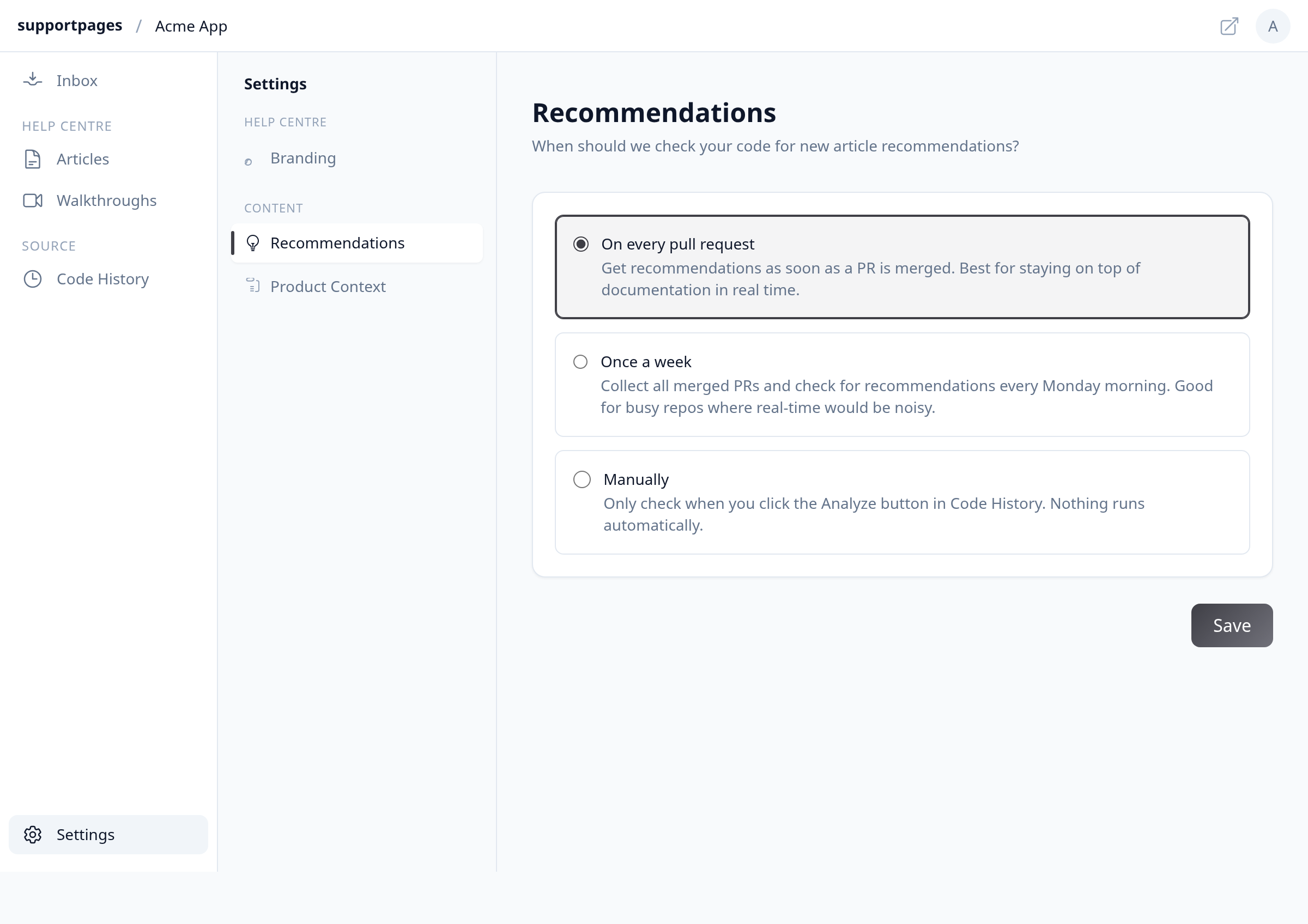
Open Settings from the workspace sidebar. Under Content, select Recommendations and confirm On every pull request is selected. Click Save if you change it.
Account for public-repo polling
If your repo is public, SupportPages cannot receive GitHub webhooks for it. The Recommendations panel explains that polling runs every 15 minutes, or you can analyze on demand from Code History.
Confirm merges target your tracked branch
During setup you chose which branch to track. SupportPages only analyzes pull requests merged into that branch — merges to other branches are skipped.
Find the merge in Code History
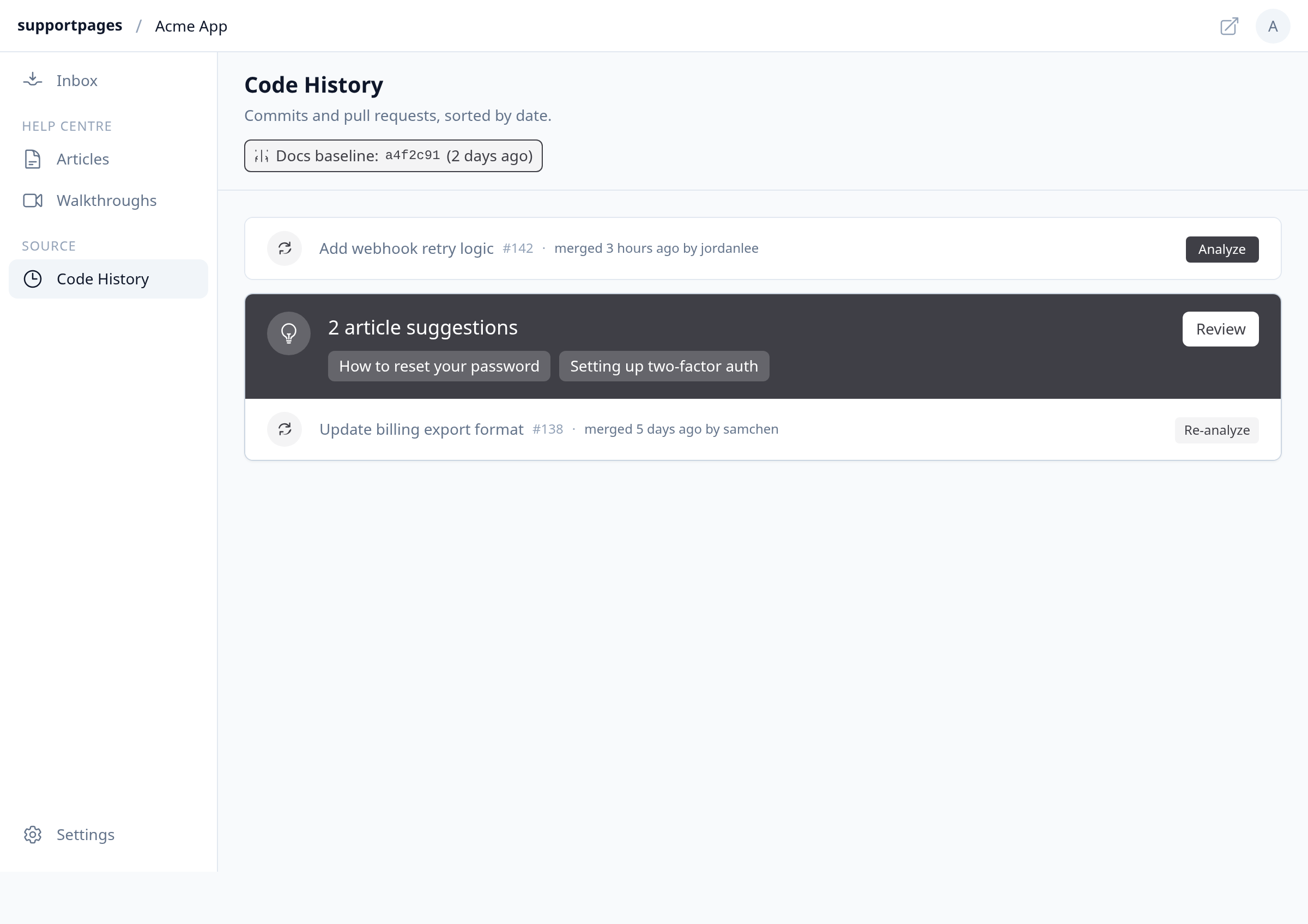
Open Code History from the sidebar. Look for your merged pull request in the timeline. If it has no analysis yet, click Analyze on that row to trigger a review manually.
Look under Suggestions in your Inbox
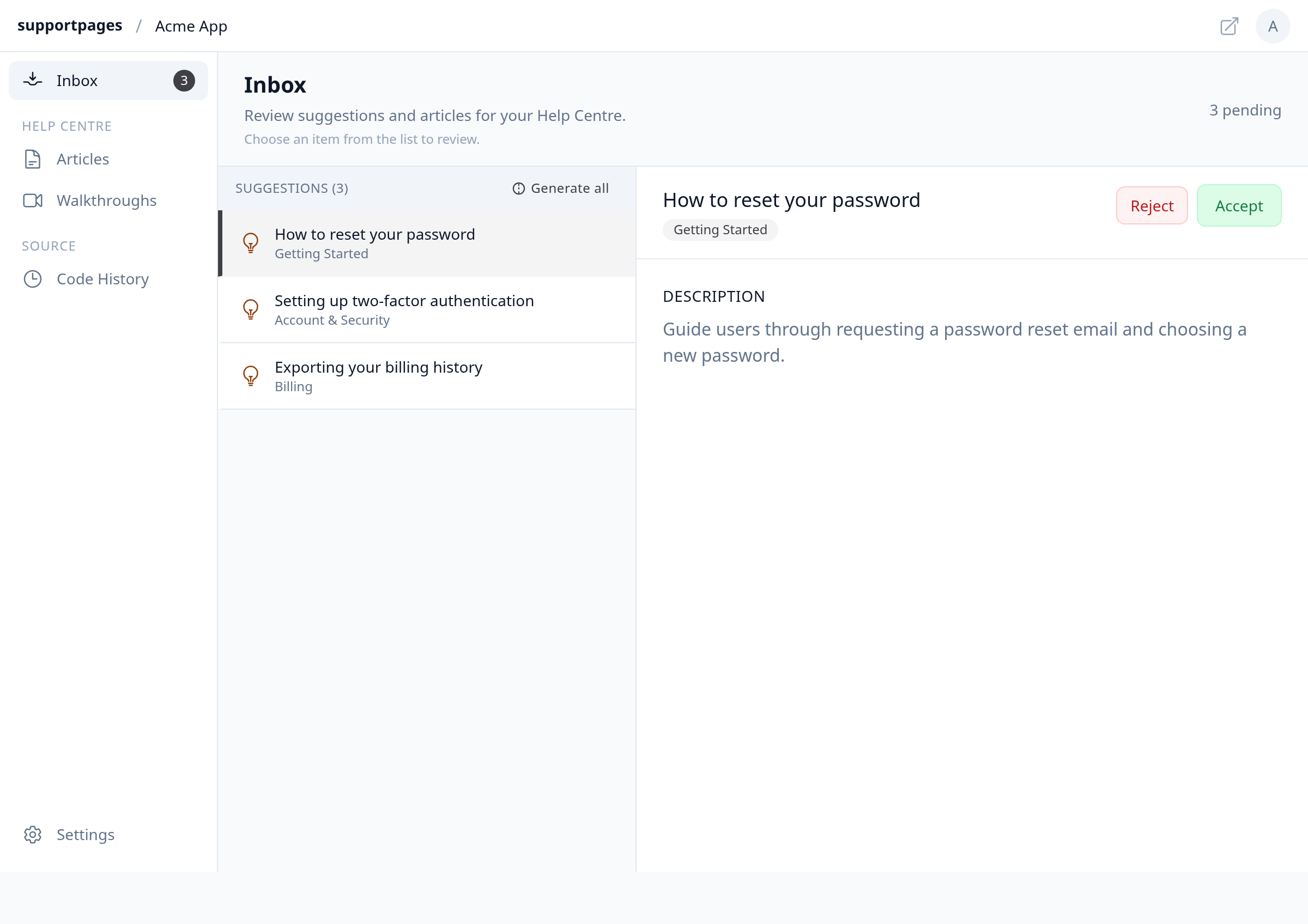
Open Inbox. New items often arrive first as Suggestions — article ideas from a completed analysis — not as finished article drafts. Select a suggestion and click Accept, or use Generate all to create drafts.
Wait while drafts are generating
After you accept a suggestion, the new draft shows a Generating… spinner in the Inbox list until writing finishes. Refresh the page if the list looks stuck after several minutes.
Tips
- Private repos need the GitHub App installed with access to the repository — reconnect GitHub from the project setup flow if merges never appear in Code History.
- If analysis completed but the banner says No documentation updates needed, the change may not warrant a new article — that is expected, not a broken pipeline.
Summary
Drafts depend on automatic or manual analysis reaching your Inbox as Suggestions first. Confirm Recommendations is set to run on merges, verify the PR in Code History, then generate from Suggestions and wait for Generating… to finish.
Was this article helpful?
Made by supportpages.io — turning pull requests into automated user documentation.
Have a question?
Search our articles, or ask and get an answer straight away.