
What to do when GitHub or Bitbucket won't connect
Updated 4 months ago
Browse All
When you try to link a repo, you might see Not connected, an empty repository list, or an error instead of your code. These checks fix the most common authorisation and access problems so SupportPages can reach your repositories again.
Checks and fixes
Check which provider is not connected
Open the Choose your repository step during setup, or start a new project to reach the repository connection screen. In the source list, look at the GitHub and Bitbucket rows — Not connected means that provider still needs to be linked.
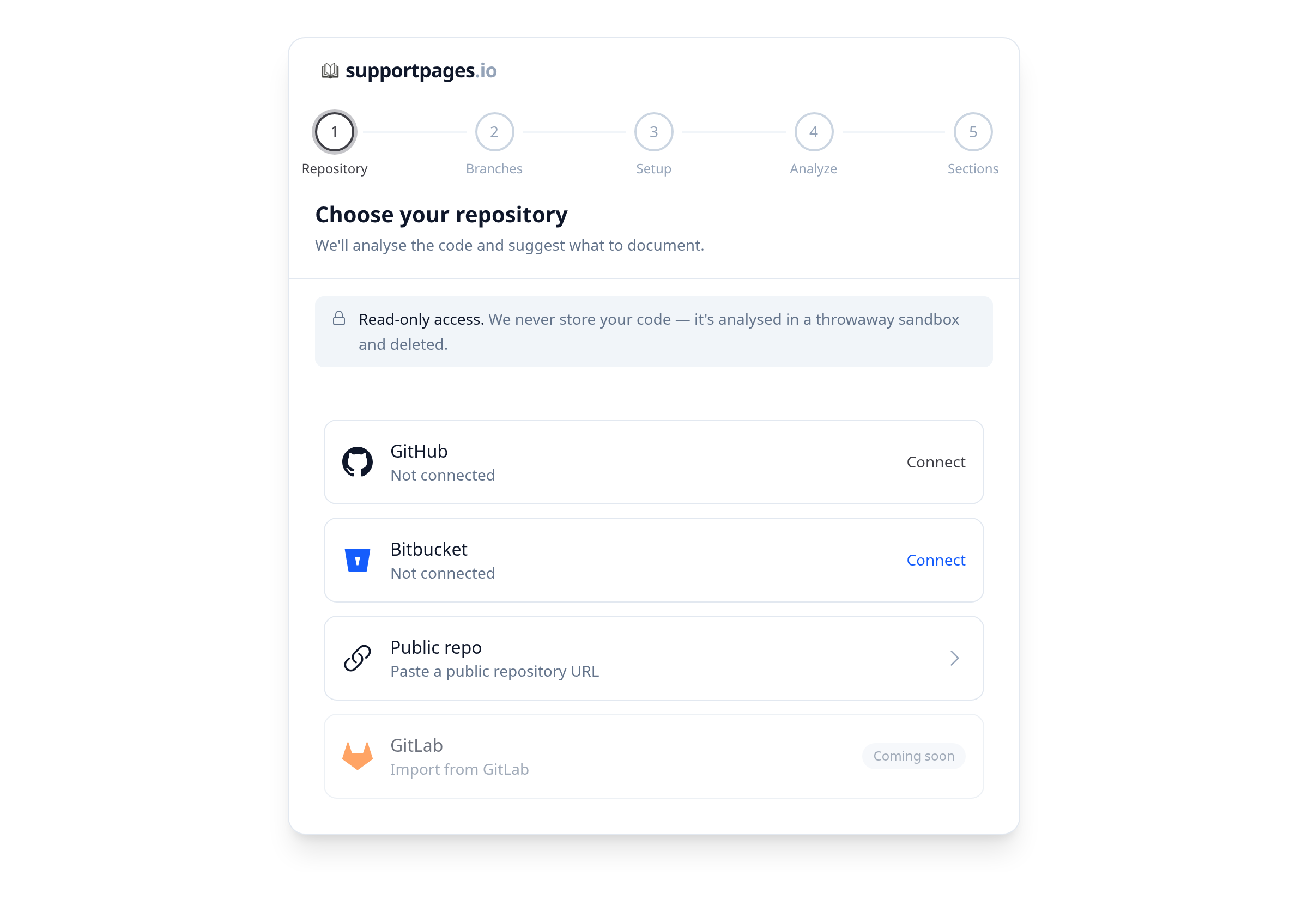
Connect your GitHub account
On the GitHub row, click Connect and sign in on GitHub. If you already signed in to GitHub with SupportPages, click Install instead to set up the GitHub App.
Reconnect GitHub for organization access
If you see Can't see your organization's repos? Reconnect GitHub to grant access., click Reconnect and approve the updated permissions on GitHub. This restores access when organization repositories are missing from the list.
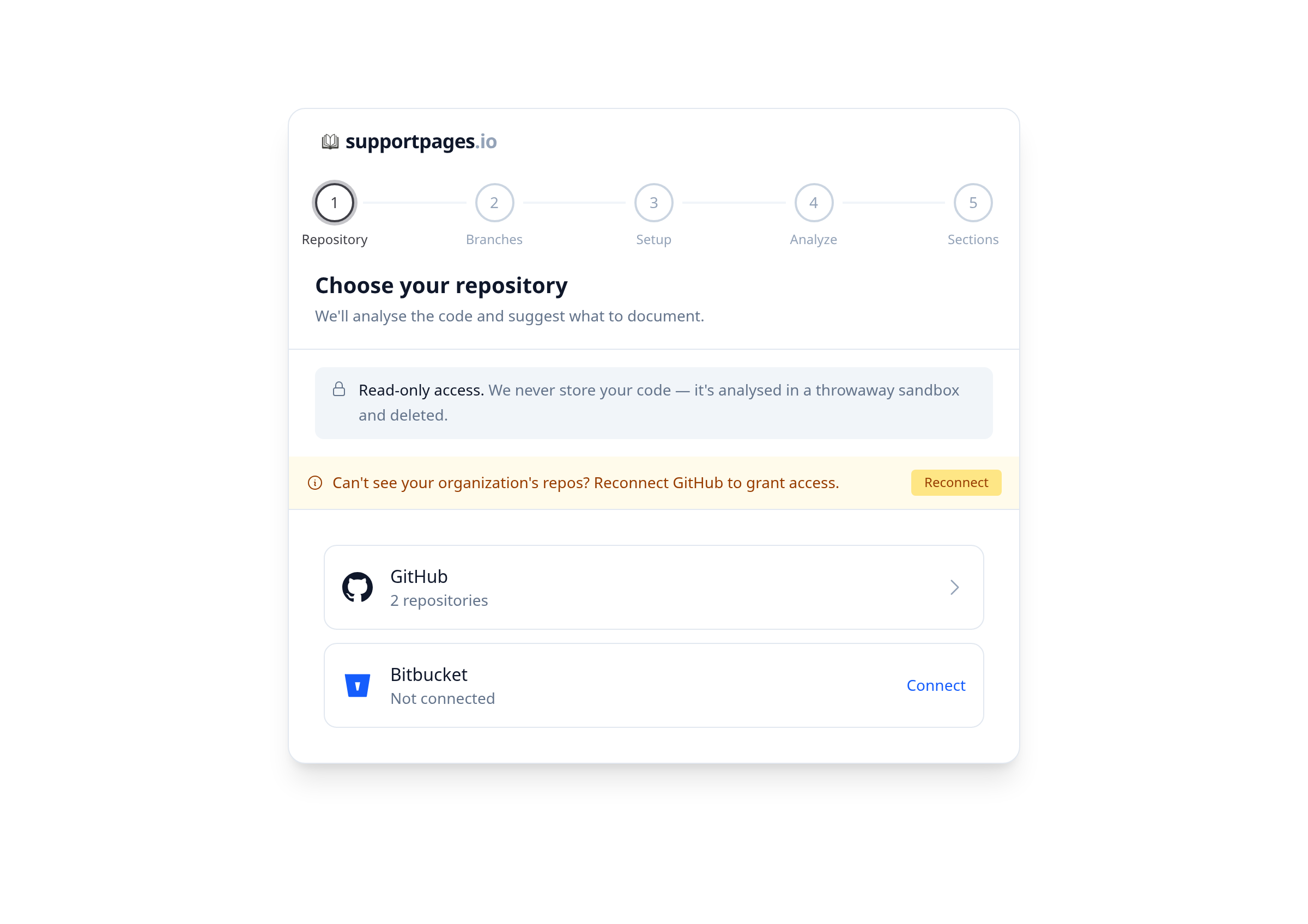
Grant GitHub repository access
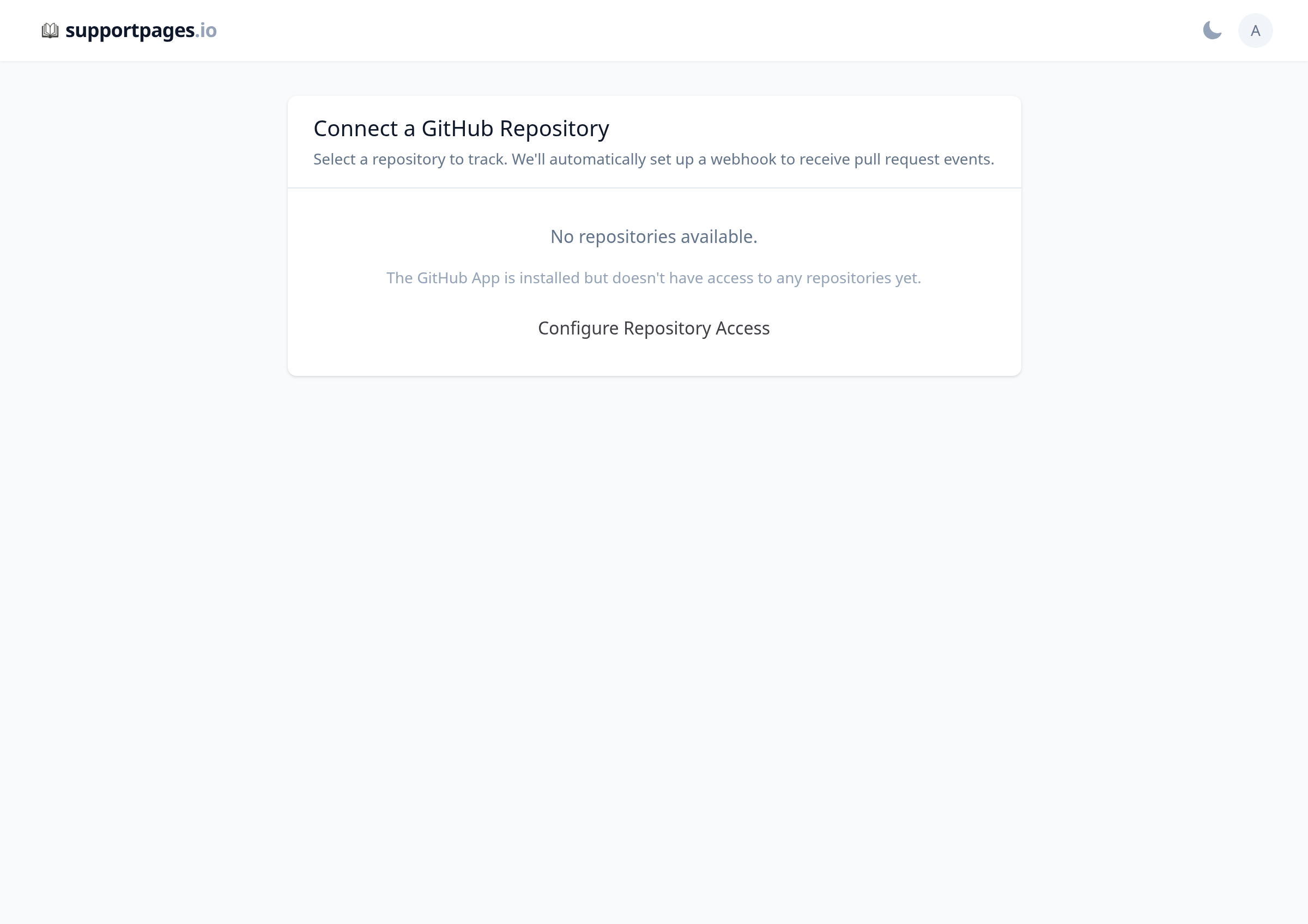
If GitHub is connected but the list says No repositories available., click Configure Repository Access (or Add more GitHub repos). On GitHub, choose all repositories or select the specific repos SupportPages should read.
Connect Bitbucket
On the Bitbucket row, click Connect and approve access on Bitbucket. If authorization was cancelled or the connection failed, click Connect again. If no workspaces are found, make sure your account is a member of at least one Bitbucket workspace.
Grant Bitbucket repository access
Select Bitbucket from the source list. If the pane says No repositories accessible., click Add more Bitbucket repos and grant access to the repositories you want to document on Bitbucket.
Retry if the repository list fails to load
When the page shows Failed to load repositories, wait a moment and refresh. You can also click Try again to reload the list.
Tips
- Connect GitHub before installing the GitHub App — both steps are needed for private repositories.
- On Bitbucket, make sure your account belongs to a workspace that owns the repositories you want.
- If you recently changed teams or organization permissions, reconnecting usually clears stale access.
Summary
Once a provider shows connected and your repository appears in the list, you're set — merged pull requests will start flowing into your Inbox again.
Was this article helpful?
Built on supportpages.io — automated help articles for SaaS products.
Have a question?
Search our articles, or ask and get an answer straight away.