
How to find and refresh outdated articles after code changes
Updated 4 months ago
Browse All
When you ship code changes, some help-centre articles can fall behind the product. This guide shows you how to run an update check, spot articles that need edits, and refresh them so customers follow steps that still match your app.
Prerequisites
- A project connected to your repository with published articles
- At least one code merge since your docs baseline was set
Steps
Open Settings
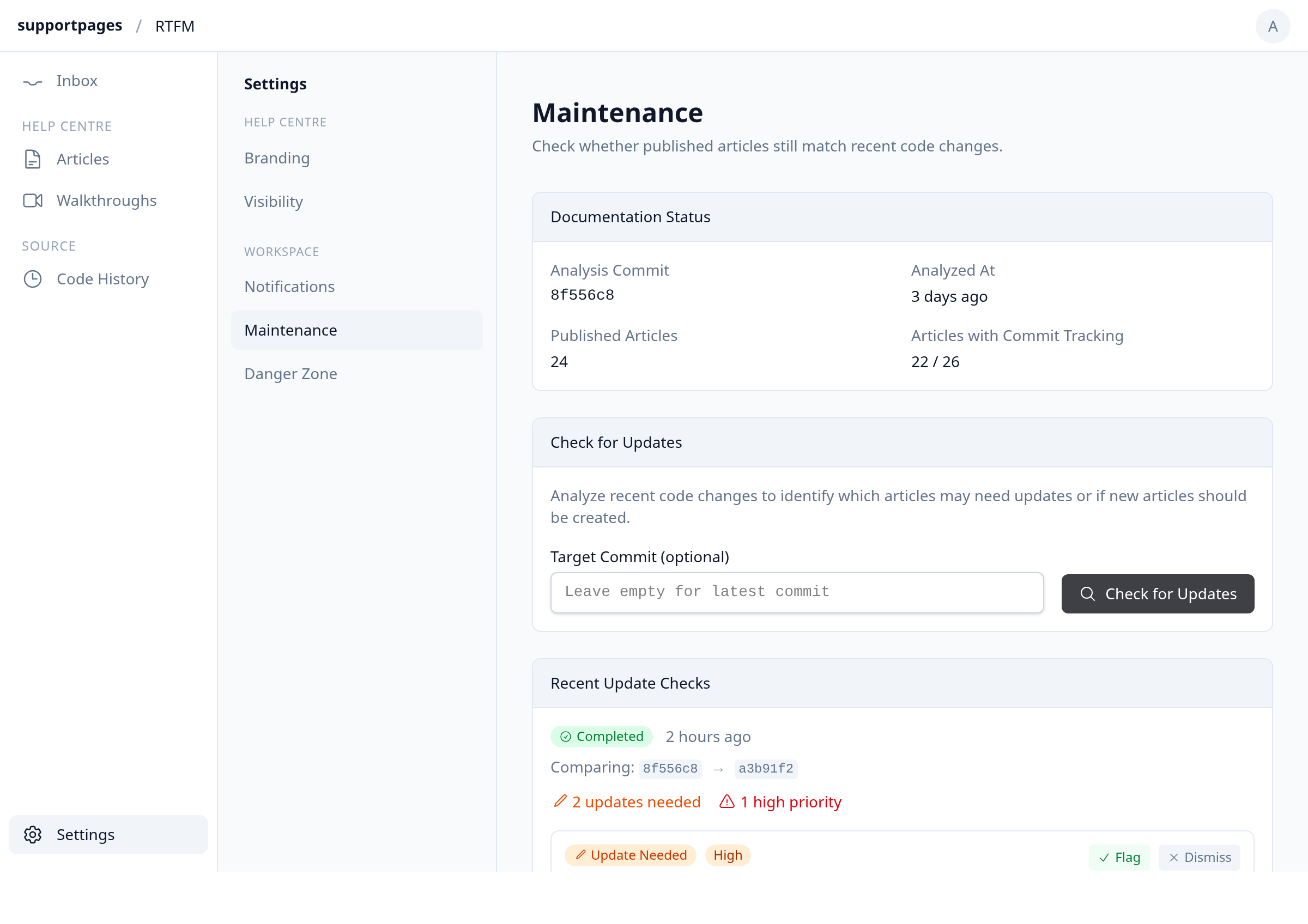
Open your project workspace and click Settings in the sidebar.
Run an update check
In the Check for Updates section, leave Target Commit (optional) empty to compare against the latest commit, or paste a specific SHA. Click Check for Updates to start the analysis.
Review flagged articles
When the check finishes, scroll to Recent Update Checks. Look for Update Needed badges and read each suggestion's reason to see which articles may be out of date.
Flag articles for refresh
For each Update Needed suggestion you want to fix, click Flag. This saves guidance on the article so regeneration knows what changed in the code.
Regenerate the flagged article
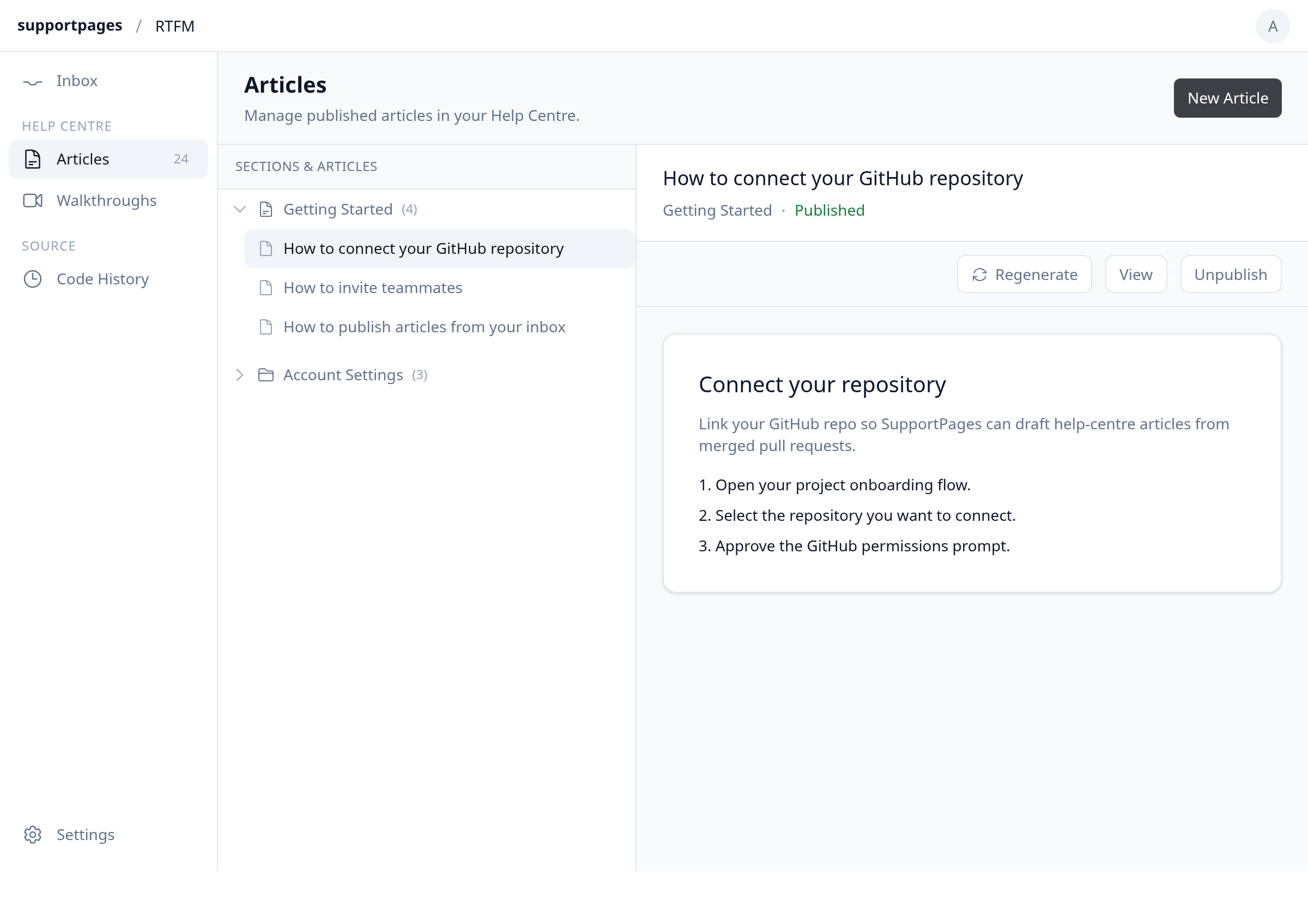
Click Articles in the sidebar, select the flagged article, and click Regenerate. Review the guidance, adjust it if needed, then confirm to generate a fresh draft.
Publish the updated article
Review the new draft in the editor. When it looks right, click Publish to replace the live help-centre version.
Tips
- You can run Check for Updates again any time new merges land — each run appears in Recent Update Checks.
- Dismiss suggestions that do not need changes so your list stays focused on real gaps.
- If screenshots in the regenerated draft look off, open the Regenerate dialog and turn on Use a more powerful model.
Summary
Run Check for Updates in Settings to find stale articles after merges, Flag the ones worth fixing, then Regenerate and Publish from Articles so your help centre stays accurate.
Was this article helpful?
Made by supportpages.io — turning pull requests into automated user documentation.
Have a question?
Search our articles, or ask and get an answer straight away.