
How the Ask page answers questions for your users
Updated 4 months ago
Browse All
The Ask page gives your help-centre visitors a quick way to get answers without hunting through every article. When someone types a question, SupportPages reads your published guides and composes a plain-language reply—so you know what automated answers can cover and when to add or update articles.
Key concepts
Visitors ask in plain language
From the help centre home page or the Ask a question... search bar in the header, visitors type what they want to know and submit it. They land on the Ask page with their question shown at the top, ready for an answer.
Answers come from your published articles
The Ask page only uses content from your published help-centre articles—it does not search the open web or pull from draft articles still in your inbox. The richer your published guides, the more useful the answers your visitors get.
The answer streams as it's written
After a brief Finding an answer... moment, the reply appears word by word on the Ask page, as if someone is typing it out. When the stream finishes, the full answer stays on screen for the visitor to read.
Related articles are linked below
Once the answer is complete, a Related articles section appears beneath it. Each card links to the published article that informed the reply, so visitors can open the full guide when they need more detail.
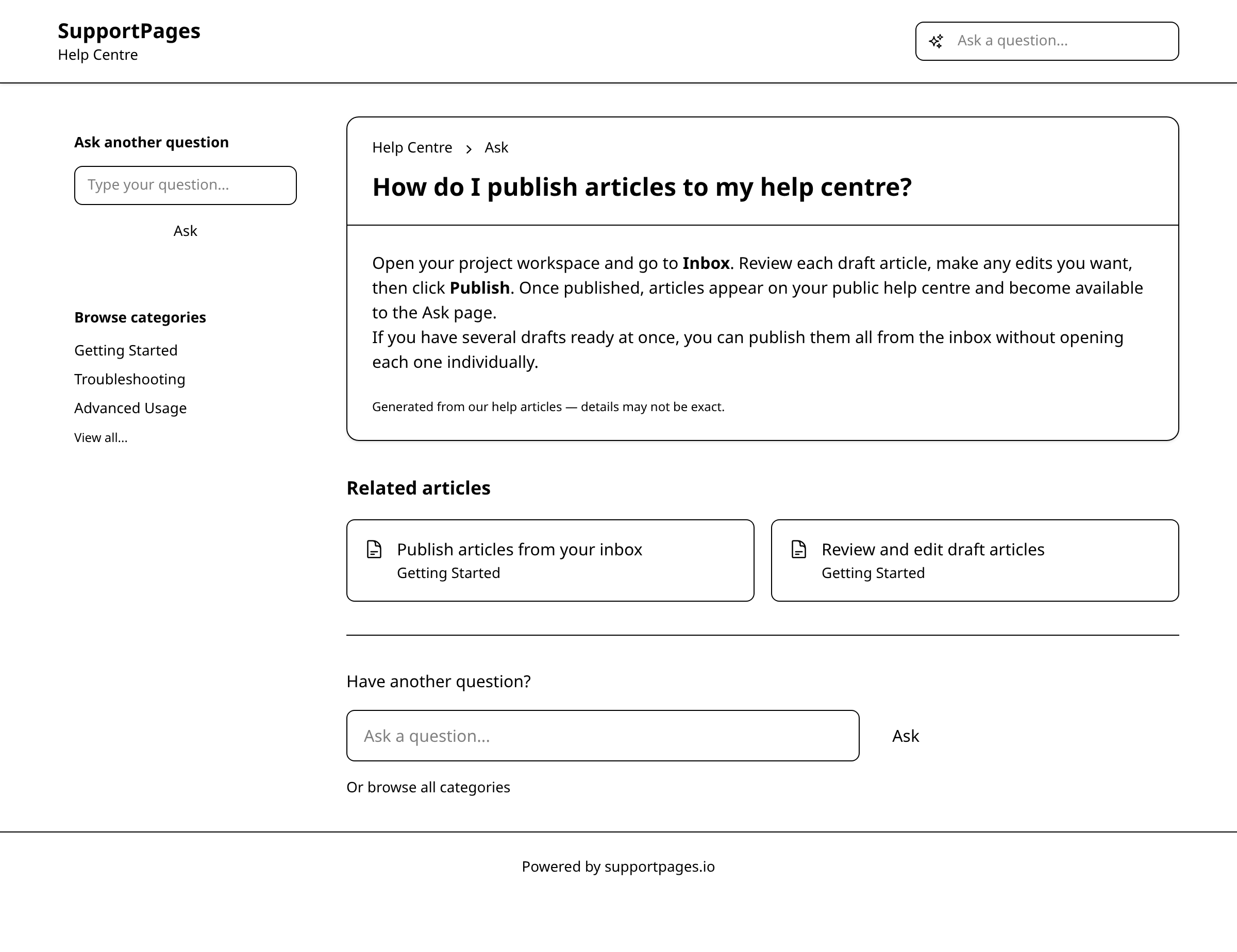
A disclaimer sets expectations
Every answer includes a note: Generated from our help articles — details may not be exact. That reminds visitors the reply is an AI summary drawn from your docs—not a substitute for reading the source articles when precision matters.
Tips
- Publish clear, up-to-date articles on topics visitors ask about most—the Ask page can only answer from what you've already published.
- If visitors keep asking something your articles do not cover, that is a signal to write a new guide or expand an existing one.
Summary
The Ask page turns your published help-centre articles into instant, AI-powered answers for visitors. Keep your articles current and complete, and the automated replies will stay helpful. To improve coverage, review what visitors ask and fill gaps in your published guides.
Was this article helpful?
Powered by supportpages.io, AI release notes software.
Have a question?
Search our articles, or ask and get an answer straight away.