
How to choose and manage your SupportPages plan
Updated about 1 month ago
Browse All
SupportPages comes in three plans: Free for hobby projects, Pro for teams that need room to grow, and Enterprise for strict security needs. You pick one right after you sign up, and you can change it whenever you like from the Billing page.
Before you start
- A SupportPages account. If you just signed up, the plan picker is the next screen you see.
- A payment card ready if you're going with Pro — the 14-day trial asks for one up front.
- If you already use SupportPages, sign in so you can open Billing from your account menu.
What each plan gives you
- Free — 1 project, 10 articles, a subdomain help centre, and 100 AI answers a month. $0.
- Pro — unlimited projects and articles, your own custom domain, video walkthroughs, and full custom branding. $99 a month billed annually, or $129 billed monthly.
- Enterprise — everything in Pro plus SSO/SAML, an audit log, and a dedicated support agreement, with a Talk to us link to start the conversation.
Steps
Choose your plan after sign-up
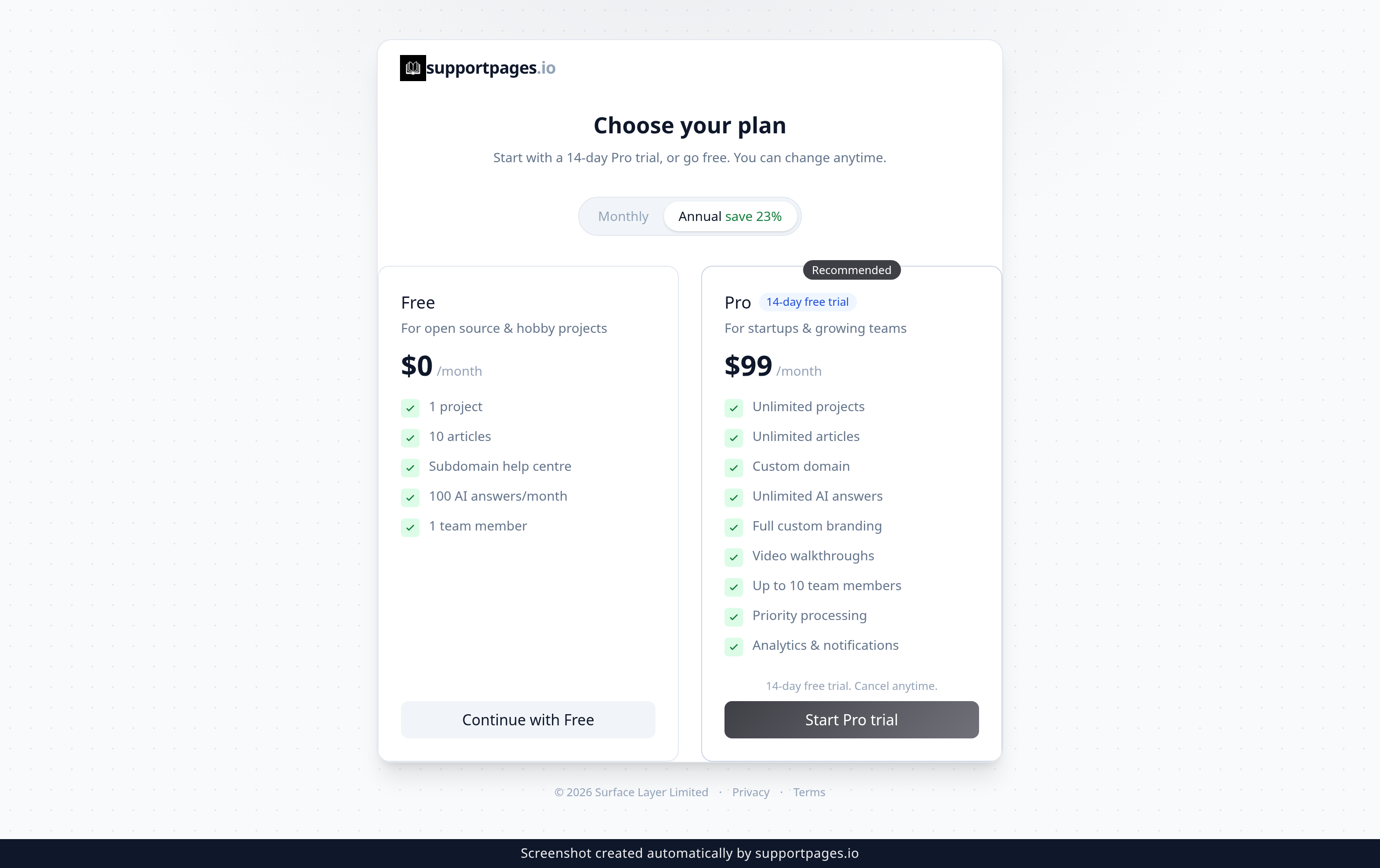
The plan picker shows two cards side by side — Free and Pro. Choose Start Pro trial to run Pro free for 14 days, or Continue with Free to stay on the free plan. To pay monthly instead of annually, select Monthly in the toggle above the cards first.
Open your Billing page
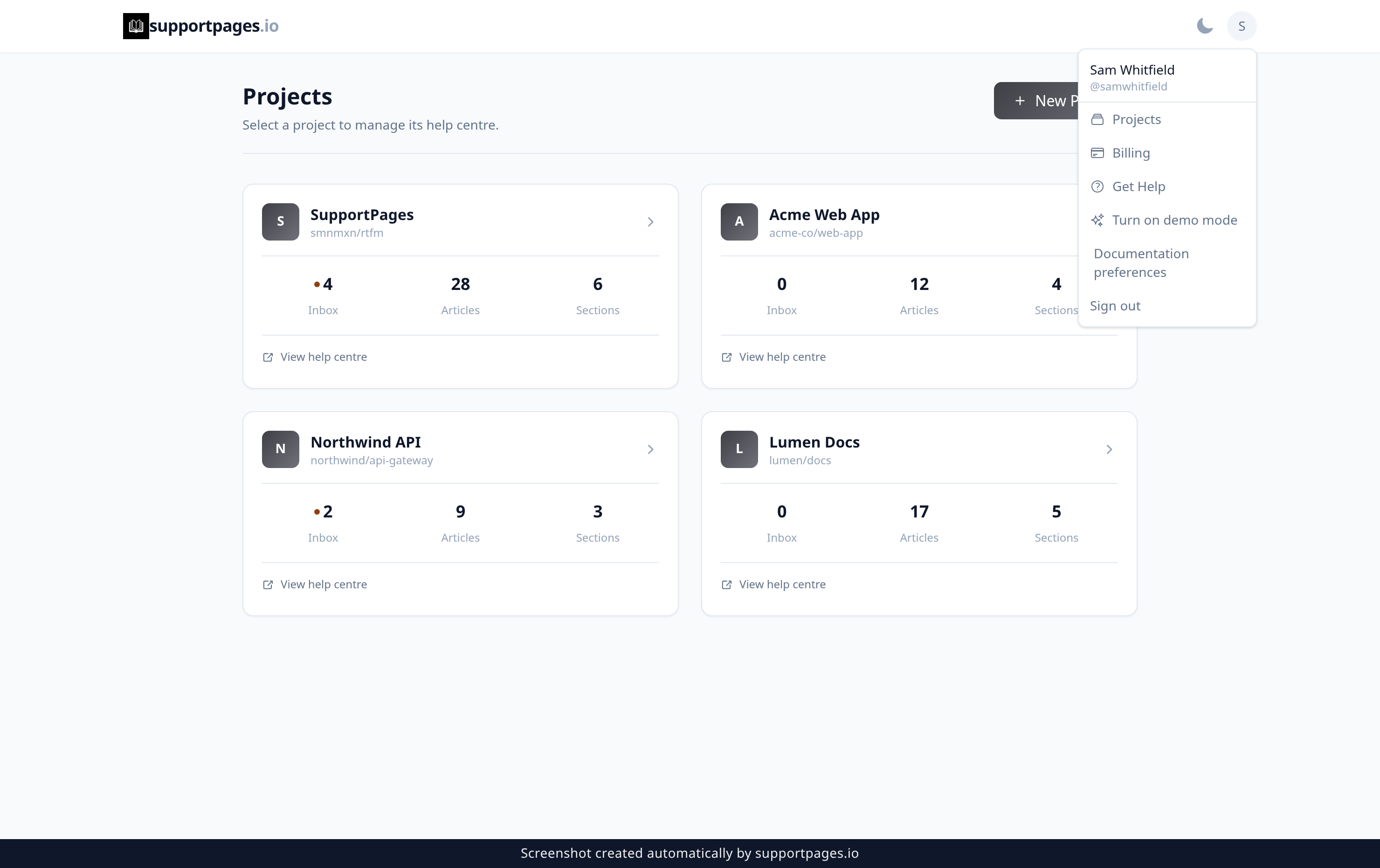
Already using SupportPages? Click your avatar in the top right of any page, then choose Billing from the menu that opens. Your plan, your usage, and your payment details all live on that page.
Upgrade from Free whenever you need more
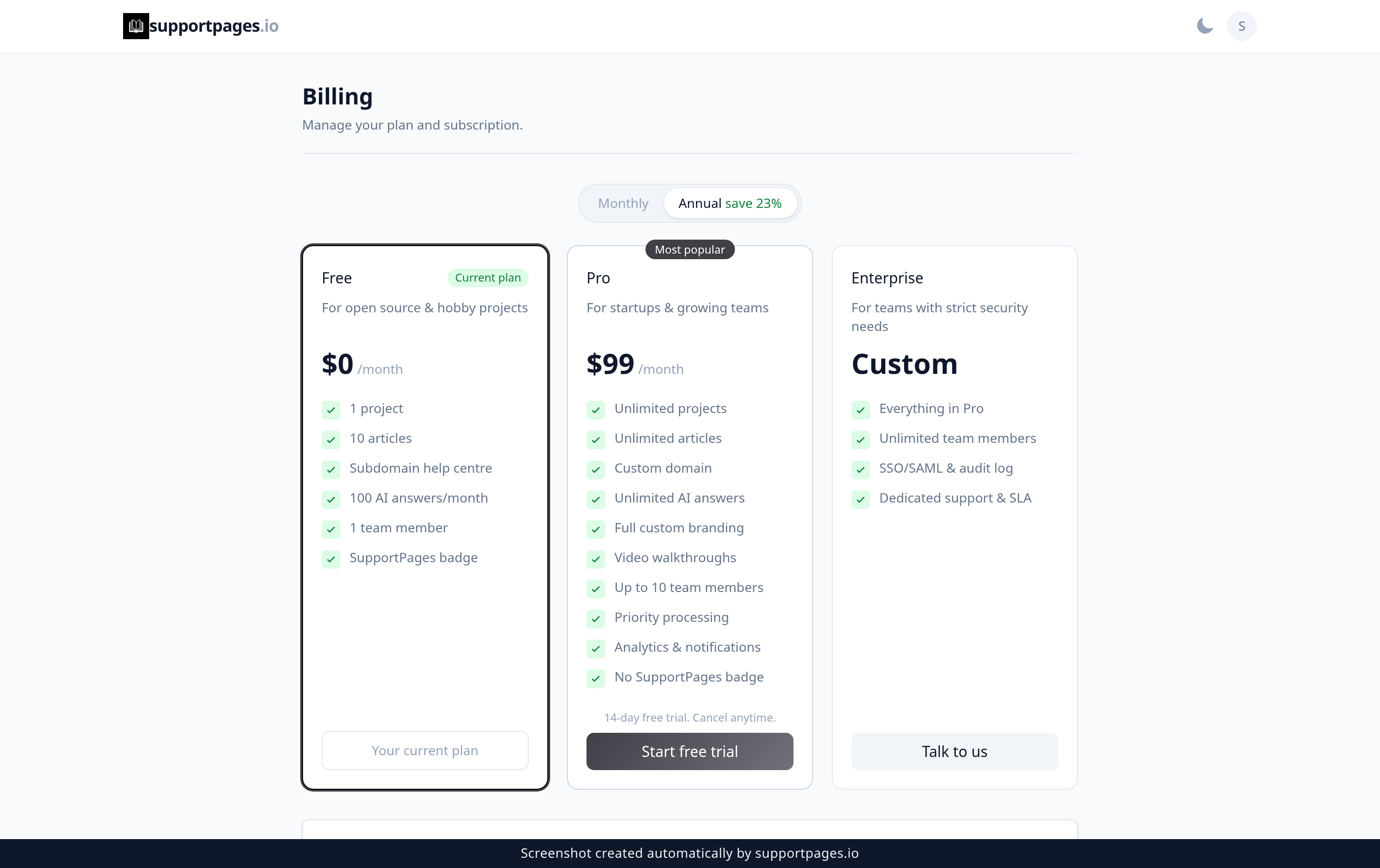
While you're on Free, the Pro card shows Start free trial. Choose it and SupportPages takes you to a secure checkout page to set up your 14-day trial. Use the Monthly or Annual toggle above the cards if you'd like to change how you're billed before you start, or choose Talk to us on the Enterprise card if your team needs SSO/SAML and a dedicated support agreement.
Update your payment details
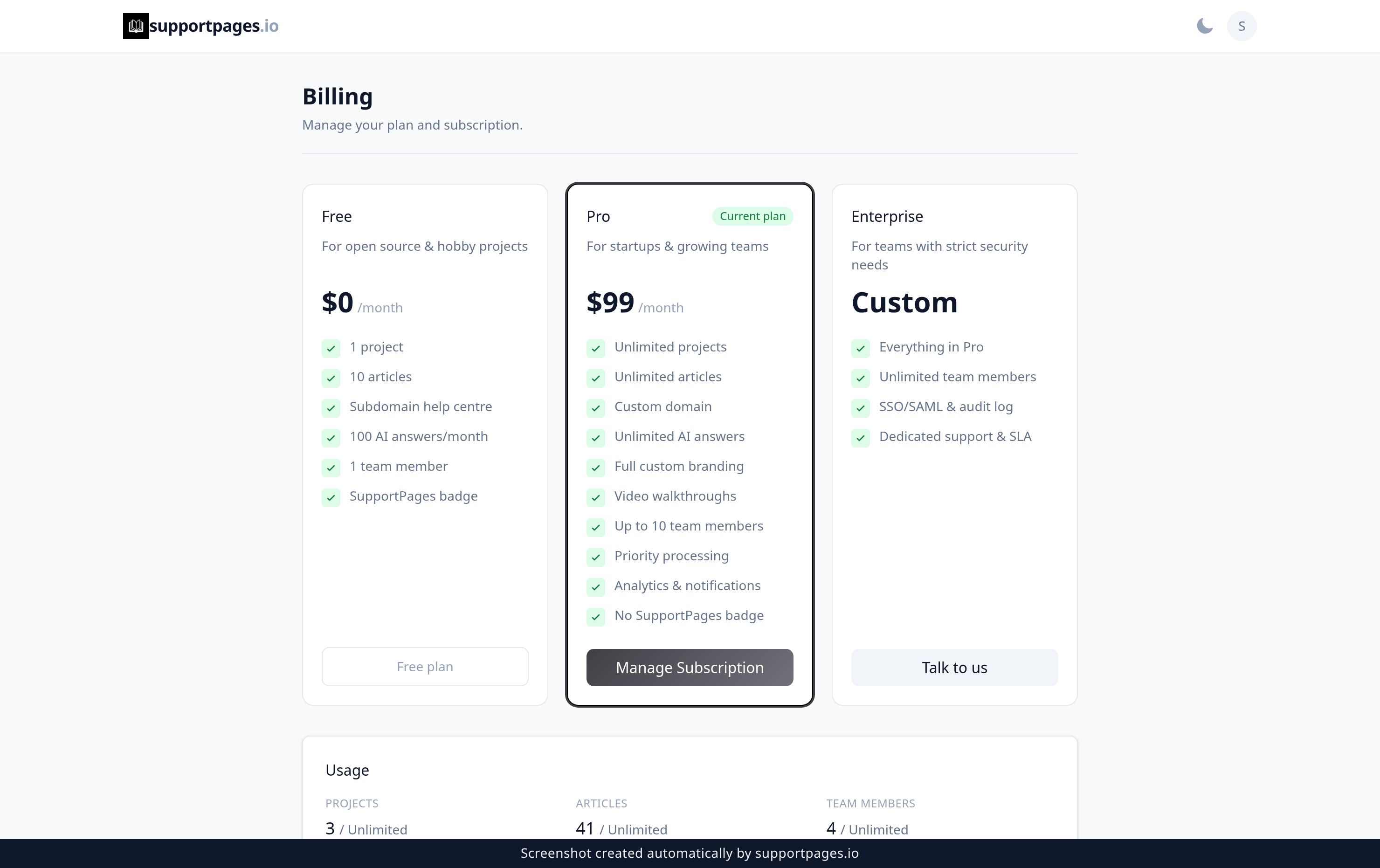
Once you're on Pro, the Pro card shows Manage Subscription instead. Choose it to open the secure billing portal, where you can swap your card, change your billing interval, or cancel. Your card details stay with the payment provider — SupportPages never stores them.
Tips
- Started on Free and changed your mind? The Start free trial offer stays on your Billing page, so you can move up whenever you're ready.
- Annual billing saves about 23% compared with paying month to month.
- The Usage panel at the bottom of Billing shows how many projects, articles, and team members you've used against your plan.
- If you hit a prompt about a custom domain or video walkthroughs, that's a Pro feature — the message links you straight to Billing.
Summary
You've picked a plan and you know where to go to change it. Whether you started on Free or went straight to Pro, everything about your subscription lives on the Billing page.
Was this article helpful?
Created with supportpages.io — AI help centre software.
Have a question?
Search our articles, or ask and get an answer straight away.